Your First Conversation with Claude
Writing Effective Prompts
All interactions with Claude begin with a prompt, and these prompts, combined with other context, impact Claude’s response. The best approach when speaking to Claude is like you would a coworker—naturally, concisely, and conversationally.
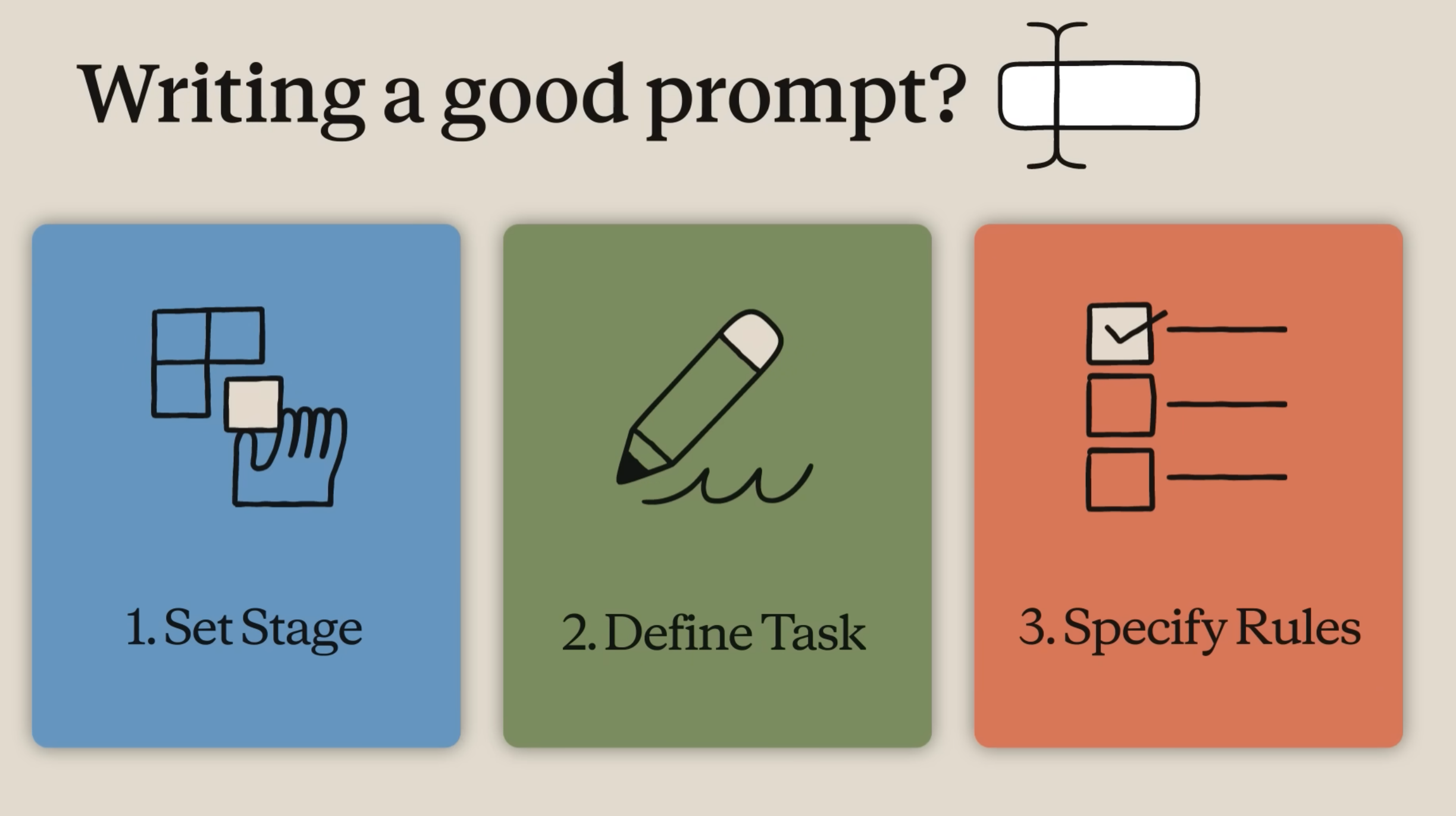
Setting the stage
- What is your role and what are your objectives?
- Is there context about your work that Claude should know about?
Defining the task
- What action do you want Claude to take?
- Do you want Claude to write, analyze, build, or something else?
Specifying rules
- What’s the style or tone you want Claude to use?
- Are there examples that you can attach to show Claude what you’re looking for?
Example
Here’s an example prompt that uses all three elements:
I’m the marketing lead at an indie streaming startup, and we’re preparing an investor pitch deck for Series A investors. Can you research the current state of the independent film streaming market and identify key trends, competitor positioning, and growth opportunities? Use current web research with citations and structure it as a professional report of up to 5 pages, with an executive summary, market analysis, competitive landscape, and growth opportunities.
- Setting the stage. We tell Claude this is for an investor pitch deck for a new indie streaming app—that’s the context and objective.
- Defining the task. We provide the specific action (research the market) with relevant details (trends, competitors, opportunities).
- Specifying rules. We ask for current web research with citations, structured as a professional report—telling Claude exactly what style and format we need.
Adding Context
Uploads, connectors, and custom preferences offer ways to give Claude even more context about your work.
Claude can analyze both text and visual elements (like images, charts, and graphics) in PDFs and other documents. Supported file types include PDF, DOCX, CSV, TXT, and common image formats like PNG and JPEG.
Once uploaded, Claude will automatically attempt to parse the file’s content. In the chat, the file appears as an attachment and you can then prompt Claude about it.
Some practical ways to use file uploads
Upload a document and ask Claude to summarize the key points
Share an image and ask Claude to describe or analyze what it sees
Attach a spreadsheet and ask Claude to identify trends in the data
Upload code and ask Claude to explain how it works or find bugs
If you’d like Claude to consider specific preferences in every response, go to Settings > Account > ‘Instructions for Claude’ to set preferences that apply to every conversation.
Iterating on Claude’s Responses
Conversations with Claude are meant to be iterative. The real power of Claude comes with continued and frequent communication, not just one-off prompts.
If Claude’s first response isn’t quite what you wanted, you have several options:
Ask follow-up questions
Build on Claude’s response by asking for more detail, a different angle, or clarification.
Example: “Can you expand on the second point?” or “That’s helpful, but can you make it more concise?”
Provide feedback
Tell Claude what you liked and didn’t like about its response.
Example: “This is good, but the tone is too formal. Can you make it more conversational?”
Redirect or restart
If Claude went in a different direction than you intended, simply steer it back. “Actually, I was asking about X, not Y. Let me clarify…”.
Worst case, restart your conversation in a new chat to fully refresh the context.
You can also click the pencil icon on any of your messages to edit and resubmit your prompt — useful when you want to refine your request rather than add a new message.
Personalizing Claude
There are two features that help Claude work better for you over time to increase the power of your prompts.
Memory
Skills
- Reusable sets of instructions that teach Claude how to approach specific tasks and workflows.
- They can encode your preferences for everything from how you write and the output formats you want to the specific processes you follow, the expertise you want applied, or how you like different types of work handled.
- Claude applies them automatically whenever they’re relevant