The CLAUDE.md File
The Problem It Solves
When you open Claude Code without a CLAUDE.md file, it starts fresh every time.
- It has to re-explore your codebase, figure out what dependencies are needed, and understand what features are already implemented.
- Sometimes it makes assumptions, which makes it harder to steer Claude in the right direction.
CLAUDE.md solves this. It’s a Markdown file you add to the root of your project, and Claude Code reads it automatically every time you start a session.
- Think of it as an onboarding script for your codebase. The contents of the CLAUDE.md file are appended to your prompt.
Example
Here’s what a typical CLAUDE.md file looks like:
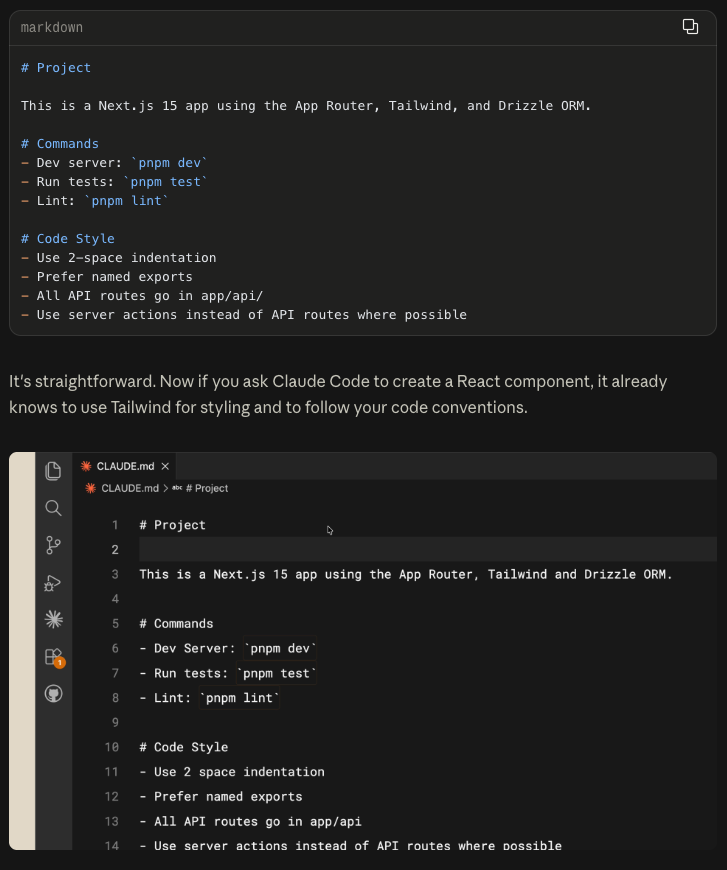
CLAUDE.md Is for Teams
You can (and should) commit your CLAUDE.md to version control so your team benefits from it.
A hierarchy of memory files depending on who they’re for:
- Project-level CLAUDE.md lives in the root directory of your project. Shared with the team.
- User-level CLAUDE.md lives in your configuration folder. This one is just for you and applies across all your projects. Put your personal preferences here.
Tips
Save corrections to memory
If you find yourself correcting Claude repeatedly, explicitly ask Claude to save that rule to memory. Next time you open the project, it’ll know.
Put in the CLAUDE.md file
Reference project docs
If you have documentation in your project that you want Claude to reference, use the @ symbol with the file path:
## README.md

Please read if you need more info: @README.md
Start without one
starting a project without a CLAUDE.md file so you can see where you constantly have to course-correct the model. This keeps your CLAUDE.md compact and focused on only the necessary information.
When you’re ready, run /init to have Claude generate one for you.