Hooks
A hook is deterministic code that runs at a fixed point in the loop, so it can guarantee behavior instead of hoping for it. It turns a rule from “Claude usually listens” into “Claude can’t skip it.”
The Hook Events
Claude Code fires around 30 hook events over the course of a session. These are the ones worth knowing:
- PreToolUse fires before a tool call. This is your enforcement primitive. It’s the one that can stop something before it happens.
- PostToolUse fires after a successful tool call. This is usually where auto-formatting or an auto-lint goes.
- Stop fires when Claude wants to end its turn. You can refuse and say “no, you’re not done yet” if some condition isn’t met. There’s a matching SubagentStop for when a sub-agent finishes.
- PreCompact and PostCompact fire before and after compaction.
- InstructionsLoaded fires when a CLAUDE.md or rule file loads. Handy for auditing what actually made it into context.
- SessionStart fires at the start and primes the environment. Use the
startupsource if you only want it on fresh starts.
To re-inject context after compaction, don’t use PostCompact. Use SessionStart with the compact matcher. That’s the one that actually gets its output back into the conversation.
PreToolUse: Returning a Decision as JSON
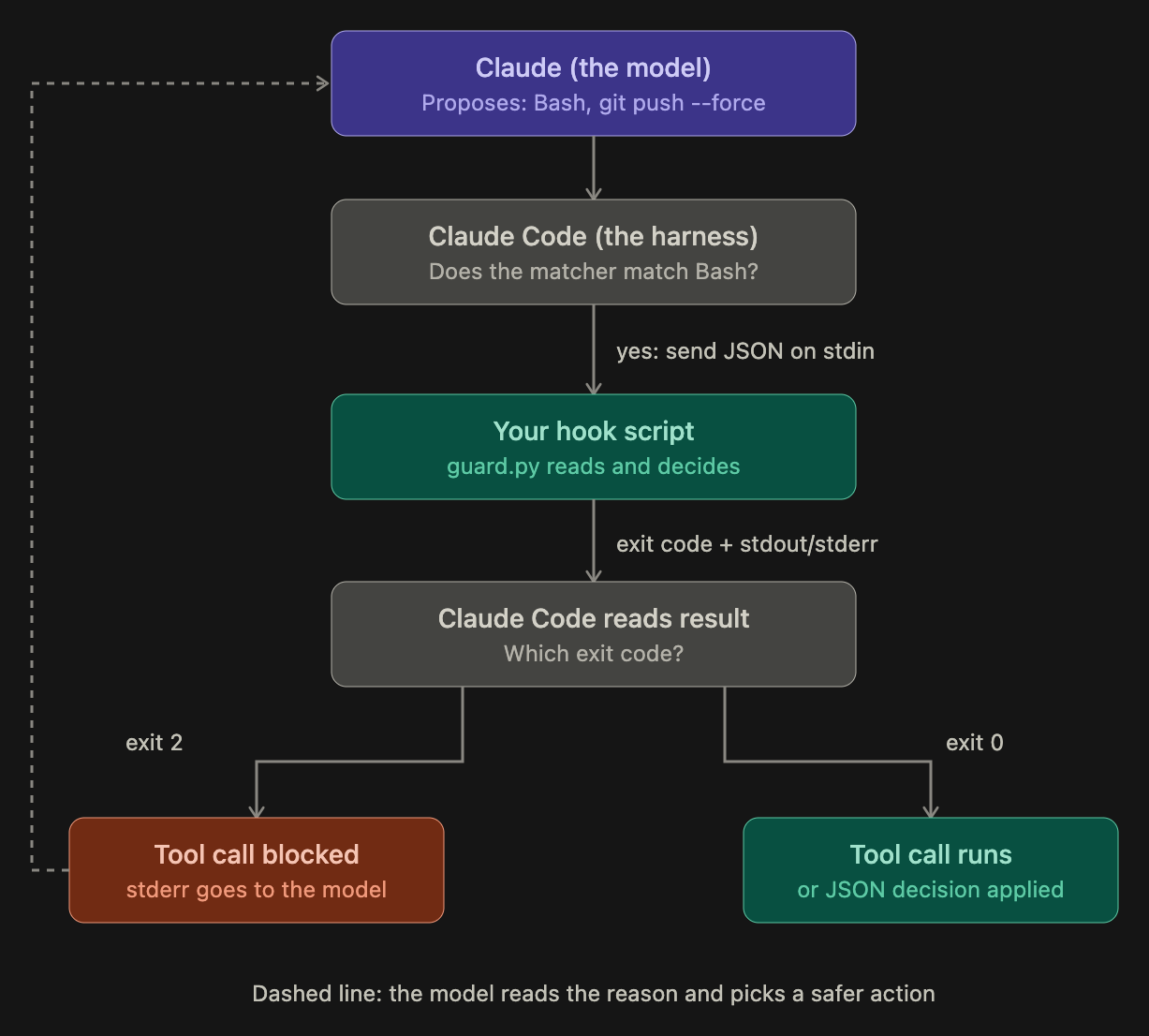
PreToolUse can block a tool call before it runs.
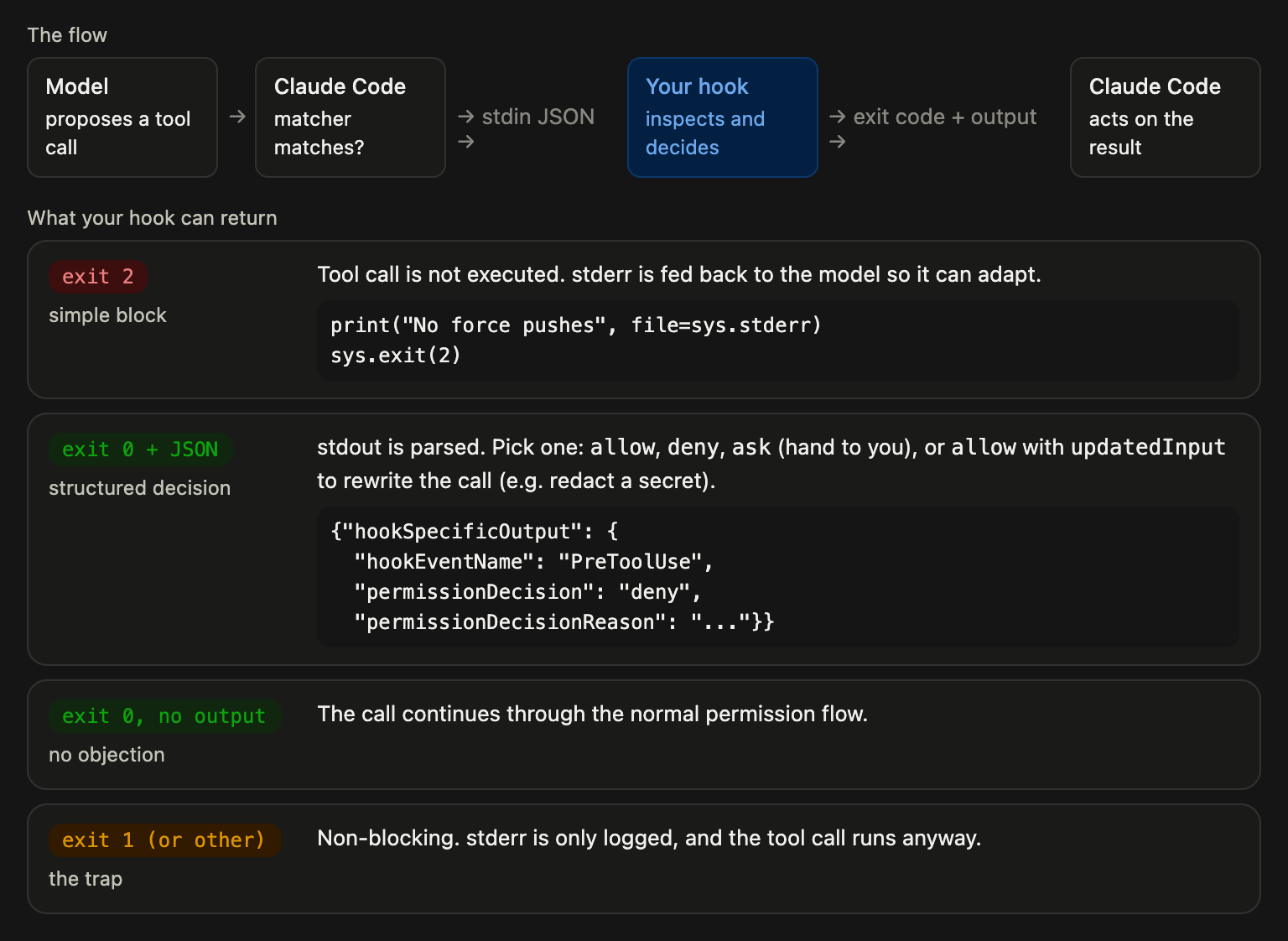
The way you talk back to Claude is by printing JSON and exiting zero. The key field is permissionDecision, and it takes one of three values:
allow— let the call throughdeny— stop the callask— hand it back to the user to decide
The JSON looks like this:
{
  "hookSpecificOutput": {
    "hookEventName": "PreToolUse",
    "permissionDecision": "deny",
    "permissionDecisionReason": "...",
    "updatedInput": {
      "command": "..."
    }
  }
}
Visual explanation
Example
A PreToolUse hook on the Bash tool. Claude wants to run: rm -rf / .
Before running the command, the PreToolUse hook is triggered. It prints JSON and exits 0:
{
  "hookSpecificOutput": {
    "hookEventName": "PreToolUse",
    "permissionDecision": "deny",
    "permissionDecisionReason": "Destructive command"
  }
}
Instead of just refusing, you can return updatedInput to rewrite the call. This way, you can strip a secret out of a command and still let it run.
Notice: updatedInput replaces the whole input object, so you have to echo back the fields you aren’t changing, or you’ll lose them.
Exit Codes
Not every hook needs to speak JSON. For simpler hooks, exit codes do the job.
| Exit code | Meaning | Remarks |
|---|---|---|
| 0 | success | |
| 2 | blocking error | Standard error gets fed back to Claude as context. |
| Anything else | Non-blocking |
Preserving State across a Compact
Compaction is lossy: When Claude compacts a long conversation, it drops a lot of detail, such as the exact files you were editing, or the branch name.
Fix: Use a SessionStart hook with the compact matcher to put the important facts back, deterministically, right after compaction.
Example (Python)
# .claude/hooks/restore_state.py
import subprocess

files = subprocess.run(["git", "diff", "--name-only"],
                       capture_output=True, text=True).stdout.strip()
branch = subprocess.run(["git", "branch", "--show-current"],
                        capture_output=True, text=True).stdout.strip()

print(f"Context restored after compaction.\nBranch: {branch}\nFiles in progress:\n{files}")
# exit 0 (default): stdout from SessionStart is added to context
In the settings.json, a compact matcher is registered:
"SessionStart": [{
  "matcher": "compact",
  "hooks": [{ "type": "command", "command": "python3 .claude/hooks/restore_state.py" }]
}]