Permission Modes
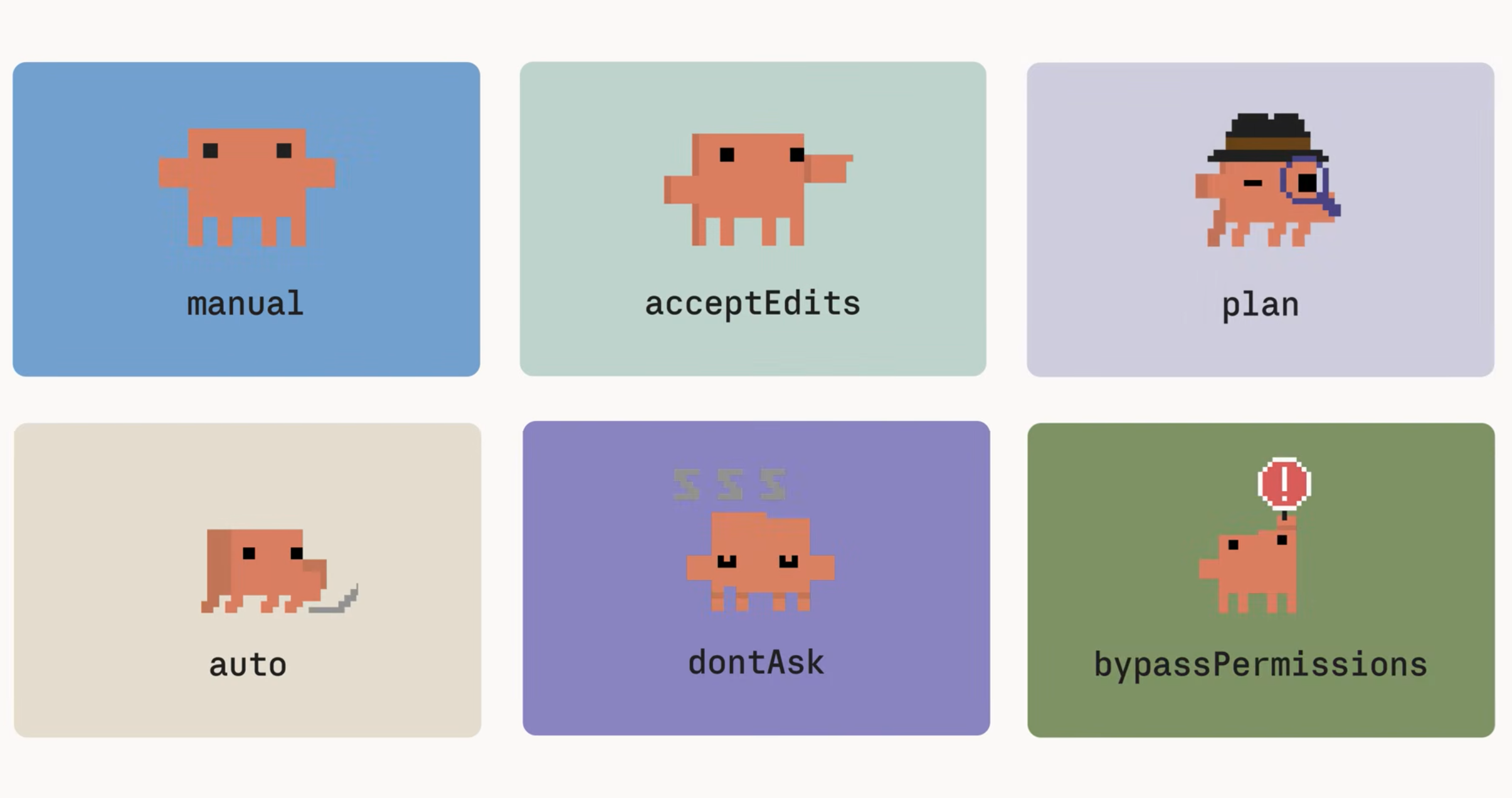
| Mode | What it does |
|---|---|
| Manual | Reads only, without prompting. Everything else asks first. |
| Accept edits | Runs reads, file edits, and common file system bash commands without asking. This is for iterating on code that you review after the fact. |
| Plan | Researches and proposes changes without editing anything. Reads run freely, and when auto mode is available, auto’s classifier reviews the commands Claude runs to explore and lets the approved ones run without a prompt. |
| Auto | Accepts everything, with a separate classifier model reviewing each action before it runs. |
| Don’t ask | Allows only pre-approved tools. Everything else is auto-denied with no prompt. |
| Bypass permissions | Kips all checks. This is the equivalent of the dangerously-skip-permissions flag. Only run it inside an isolated container or virtual machine! |
Cycling with shift-tab
Press shift-tab to cycle through the everyday ones: manual, accept edits, plan, and auto.
The status bar at the bottom always shows which mode you’re currently in, so you can glance down and know exactly what Claude is allowed to do.
How auto Mode Works
Auto is the hands-off mode. Claude runs on its own, but before each action executes, a separate classifier model reviews it. The classifier guards intent. It’s watching for moves that escalate beyond what you actually asked for.
The kind of thing it’s designed to block:
- Production deploys and migrations
- Force pushing, or piping downloaded code straight into a shell
- Sending sensitive data to external endpoints
- Irreversibly destroying files that existed before the session
What the classifier can’t do: The classifier checks intent, not correctness. It won’t catch whether the code actually works.
Example
If you ask Claude to refactor authentication and it writes broken authentication, the classifier waves it through, because broken isn’t dangerous.
In this case, you should pair auto mode with a stop hook that runs your tests. The two work together:
- Auto mode watches what Claude is trying to do while it runs.
- The stop hook confirms the code actually runs once Claude finishes.
One guards intent before each action, the other guards correctness after.
Use dontAsk Mode for Unattended Runs
Don’t ask (``dontAsk`) is the right move whenever no human is around to approve prompts, such as: CI pipelines, scheduled jobs, overnight batches.
Only pre-approved tools are allowed, and anything off that list gets auto-denied with no prompt. Your pipeline keeps moving instead of hanging on an approval no one is there to give.
How to enable: Set it with--permission-mode dontAsk. Example:
claude --permission-mode dontAsk --allowedTools "Read,Glob,Grep"
Match the Mode to the Job
Pick the mode that fits what you’re doing, and let Claude run at that level.
- Auto is the hands-off mode. The classifier checks intent before each action, and a stop hook checks correctness after.
- Don’t ask covers unattended pipelines where no one is there to approve.
- Bypass permissions belongs only inside isolated containers and VMs.