What Are Skills?
TL;DR
- Skills are folders of instructions that Claude Code can discover and use to handle tasks more accurately. Each skill lives in a
SKILL.mdfile with a name and description in its frontmatter - Claude uses the description to match skills to requests. When you ask Claude to do something, it compares your request against available skill descriptions and activates the ones that match
- Personal skills go in
~/.claude/skillsand follow you across all projects. Project skills go in.claude/skillsinside a repository and are shared with anyone who clones it - Skills load on demand — unlike CLAUDE.md (which loads into every conversation) or slash commands (which require explicit invocation), skills activate automatically when Claude recognizes the situation
- If you find yourself explaining the same thing to Claude repeatedly, that’s a skill waiting to be written
A skill is a markdown file that teaches Claude how to do something once. Claude then applies that knowledge automatically whenever it’s relevant.
What Skills Are
Skills are folders of instructions and resources that Claude Code can discover and use to handle tasks more accurately.
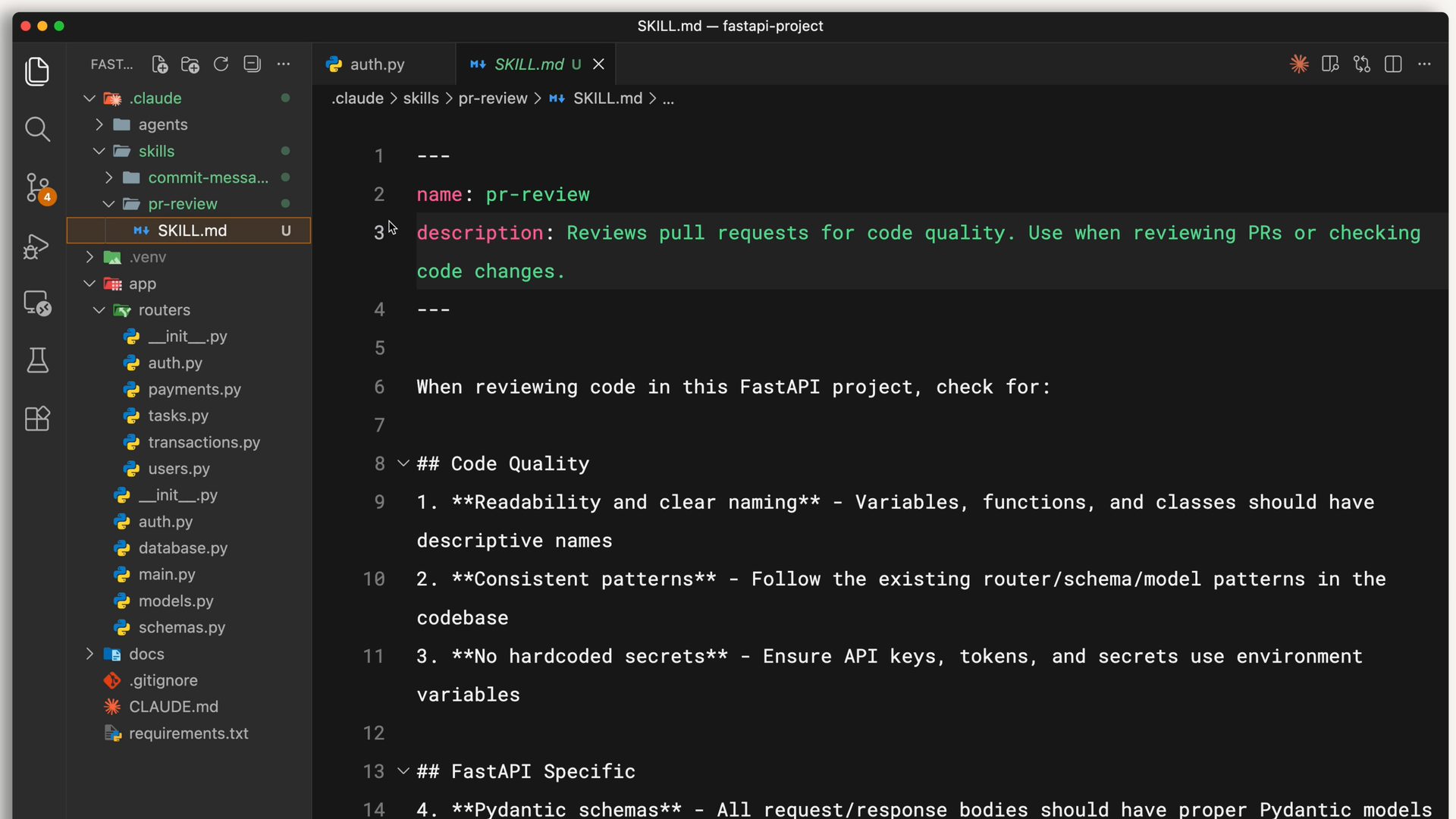
Each skill lives in a
SKILL.mdfile with a name and description in its frontmatter.Example:
--- name: pr-review description: Reviews pull requests for code quality. Use when reviewing PRs or checking code changes. ---- The description is how Claude decides whether to use the skill.
- When you ask Claude to review a PR, it matches your request against available skill descriptions and finds the relevant one.
- Claude reads your request, compares it to all available skill descriptions, and activates the ones that match.
- The description is how Claude decides whether to use the skill.
Below the frontmatter, you write the actual instructions or whatever Claude needs to know for that task.
Where Skills Live
You can store skills in different places depending on who needs them:
- Personal skills go in
~/.claude/skills(your home directory).- These follow you across all your projects — your commit message style, your documentation format, how you like code explained.
- Project skills go in
.claude/skillsinside the root directory of your repository.- Anyone who clones the repo gets these skills automatically. This is where team standards live, like your company’s brand guidelines, preferred fonts, and colors for web design.
- Project skills get committed to version control alongside your code, so the whole team shares them.
Skills vs. CLAUDE.md vs. Slash Commands
CLAUDE.md files load into every conversation. For example, if you want Claude to always use TypeScript’s strict mode, that goes in CLAUDE.md.
Skills are automatic and task-specific.
SKills load on demand when they match your request.
When Claude matches a skill to your request, you’ll see it load in the terminal:
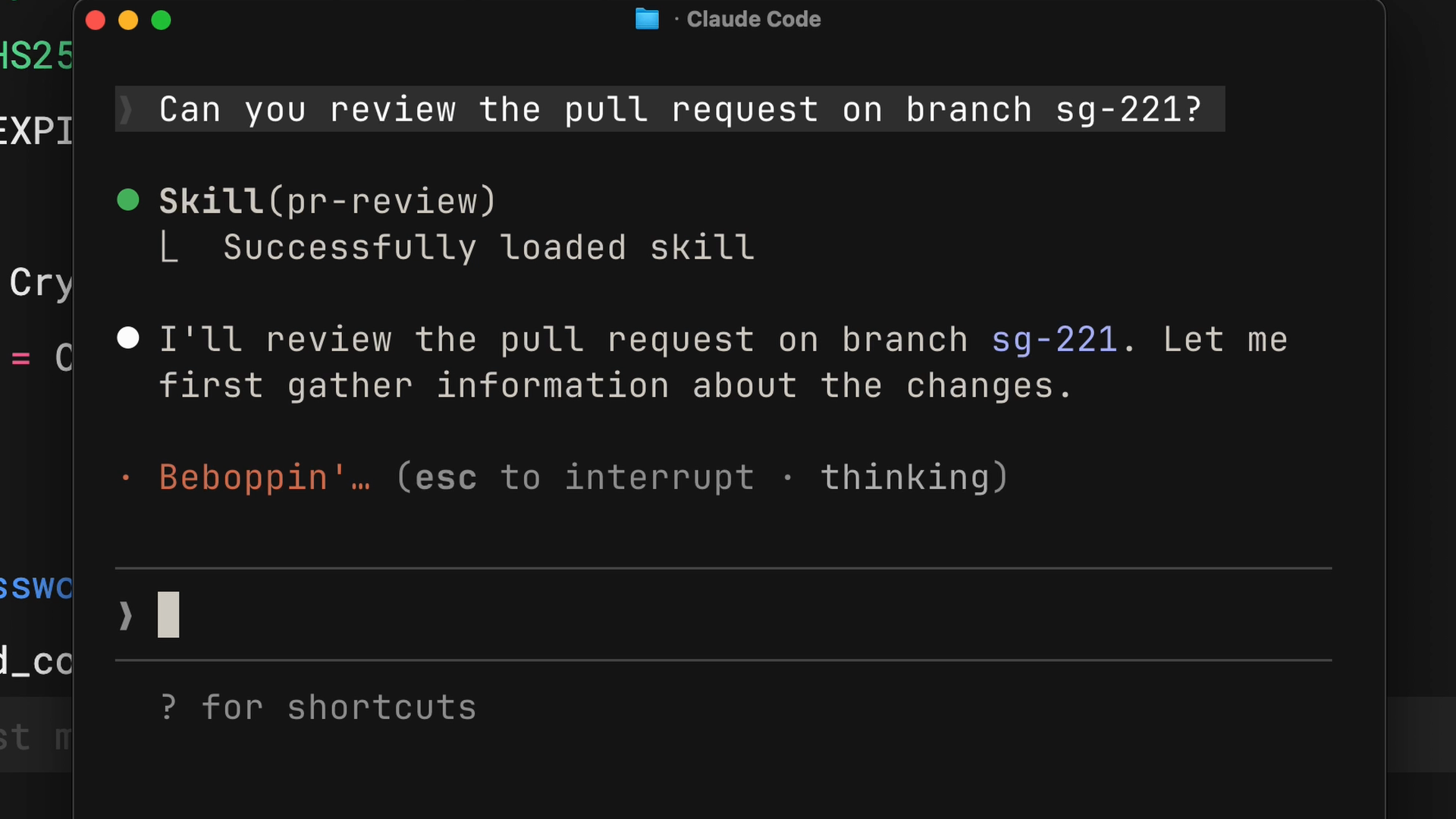
Claude only loads the name and description initially, so they don’t fill up your entire context window.
- E.g., Your PR review checklist doesn’t need to be in context when you’re debugging — it loads when you actually ask for a review.
Slash commands require you to explicitly type them. Skills don’t. Claude applies them when it recognizes the situation.
When to Use Skills
The rule of thumb: If you find yourself explaining the same thing to Claude repeatedly, that’s a skill waiting to be written.
Skills work best for specialized knowledge that applies to specific tasks:
- Code review standards your team follows
- Commit message formats you prefer
- Brand guidelines for your organization
- Documentation templates for specific types of docs
- Debugging checklists for particular frameworks