MCP Clients
The MCP client serves as the communication bridge between your server and MCP servers. It’s your access point to all the tools that an MCP server provides, handling the message exchange and protocol details so your application doesn’t have to.
Transport Agnostic Communication
One of MCP’s key strengths is being transport agnostic - a fancy way of saying the client and server can communicate over different protocols depending on your setup. In other words, MCP’s messages are the same whatever channel carries them.
Example:
Both the MCP client and server can run on the same machine, communicating through standard input/output. But you can also connect them over:
- HTTP
- WebSockets
- Various other network protocols
| Local MCP server | Remote MCP server |
|---|---|
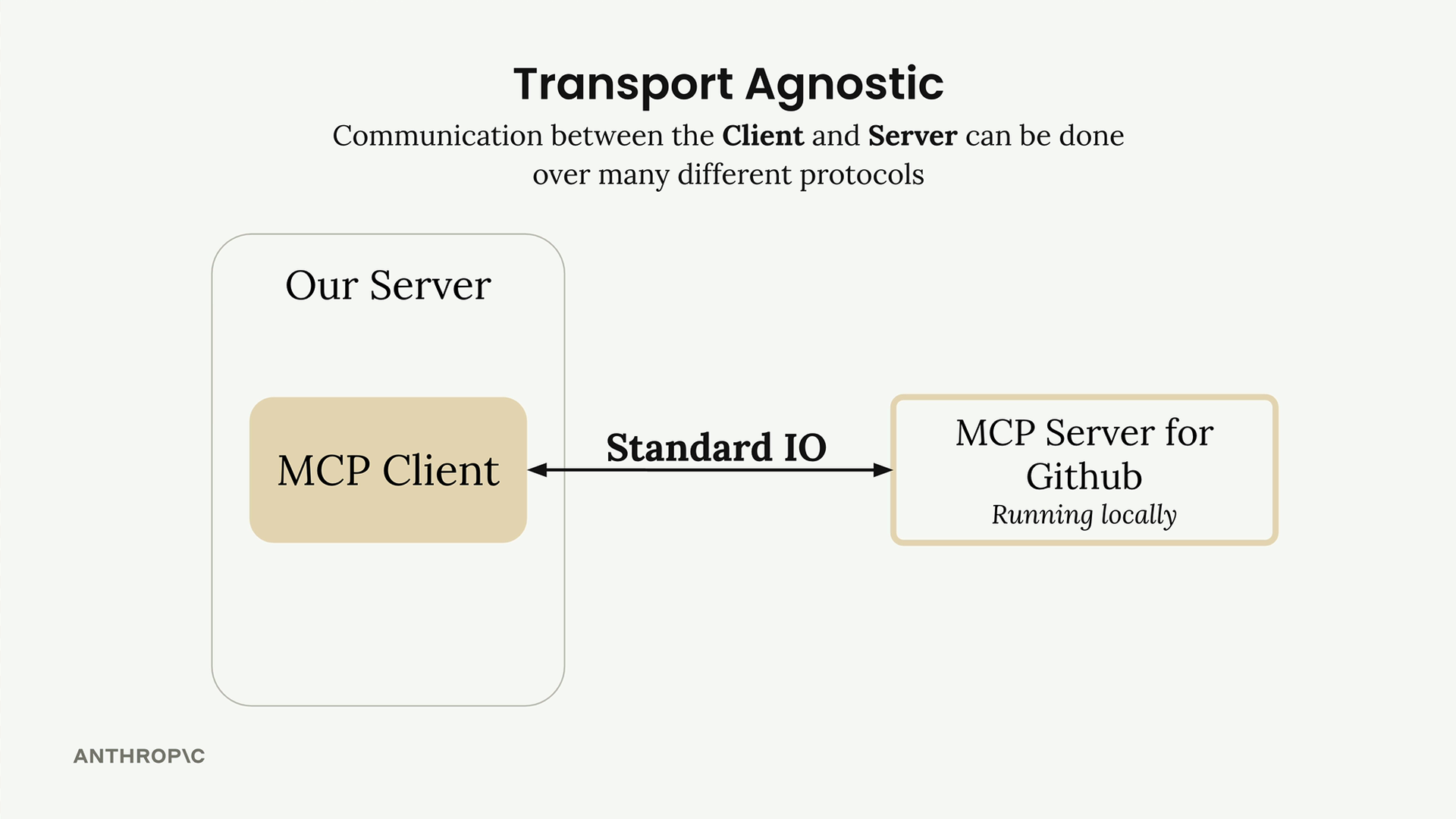 | 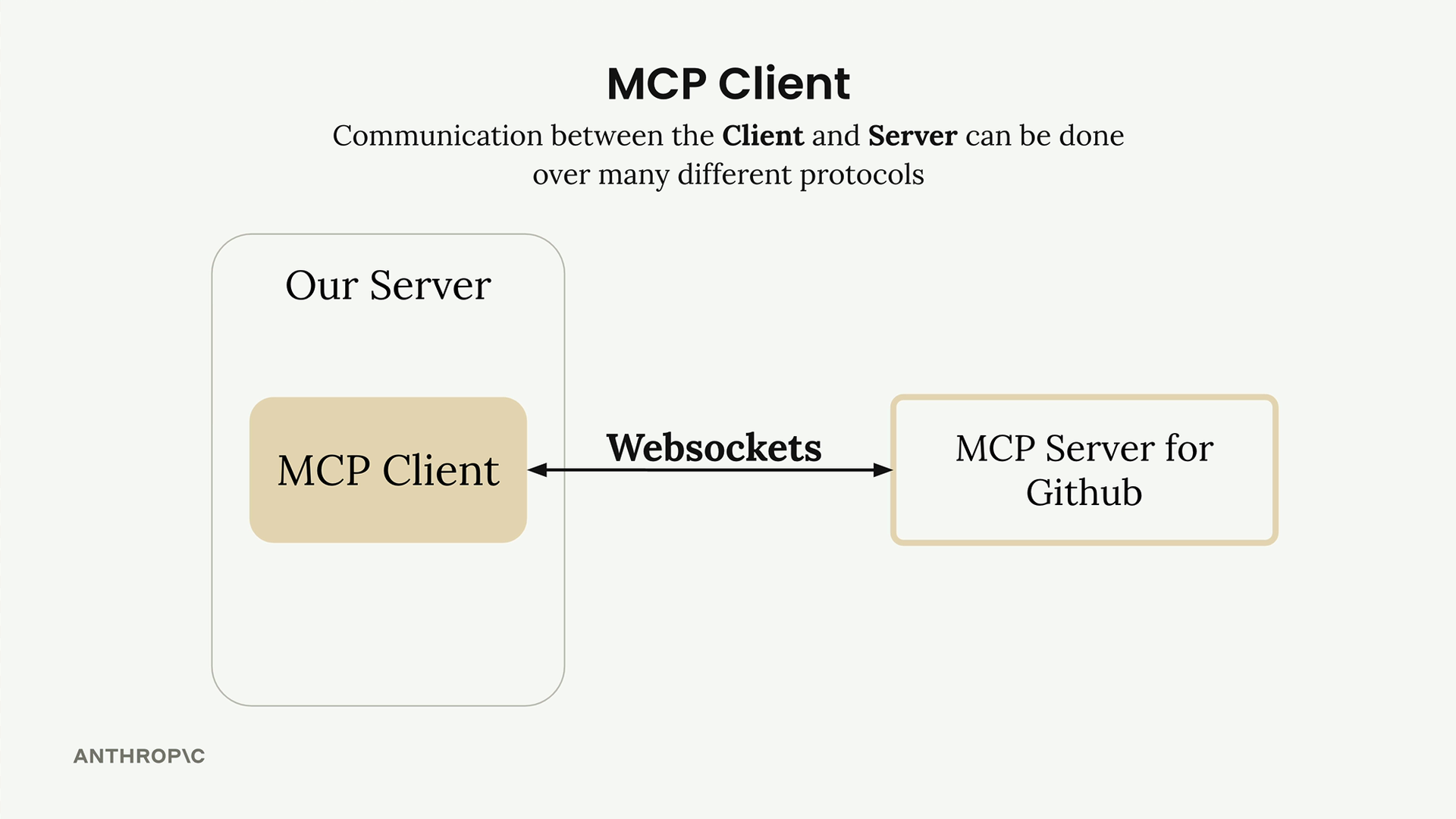 |
Analogy: the same letter can go by post or by email. The words don’t change, only the delivery.
## MCP Message TypesOnce connected, the client and server exchange specific message types defined in the MCP specification.
Most typicals are:
ListToolsRequest/ListToolsResult: The client asks the server “what tools do you provide?” and gets back a list of available tools.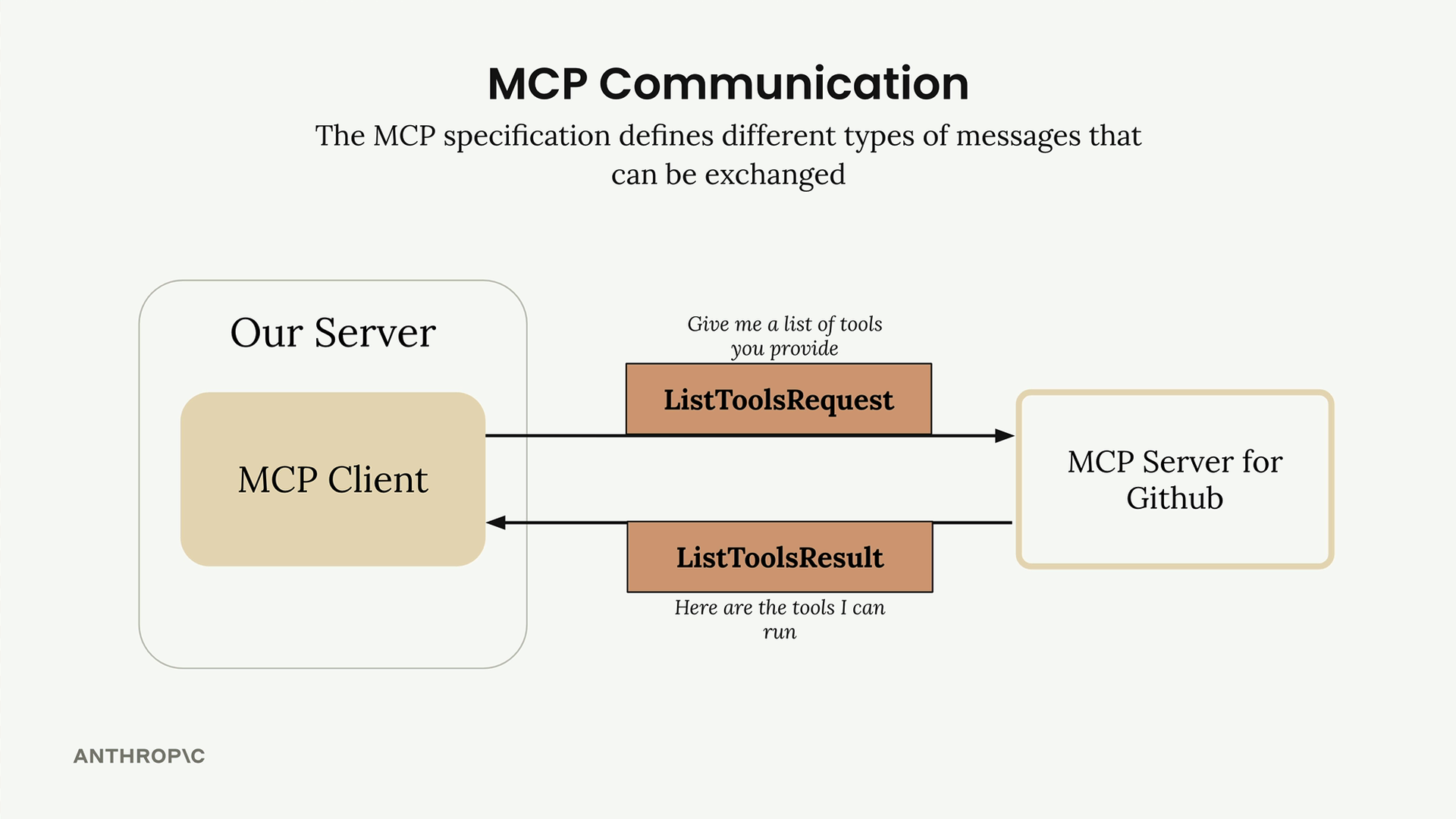
CallToolRequest/CallToolResult: The client asks the server to run a specific tool with given arguments, then receives the results.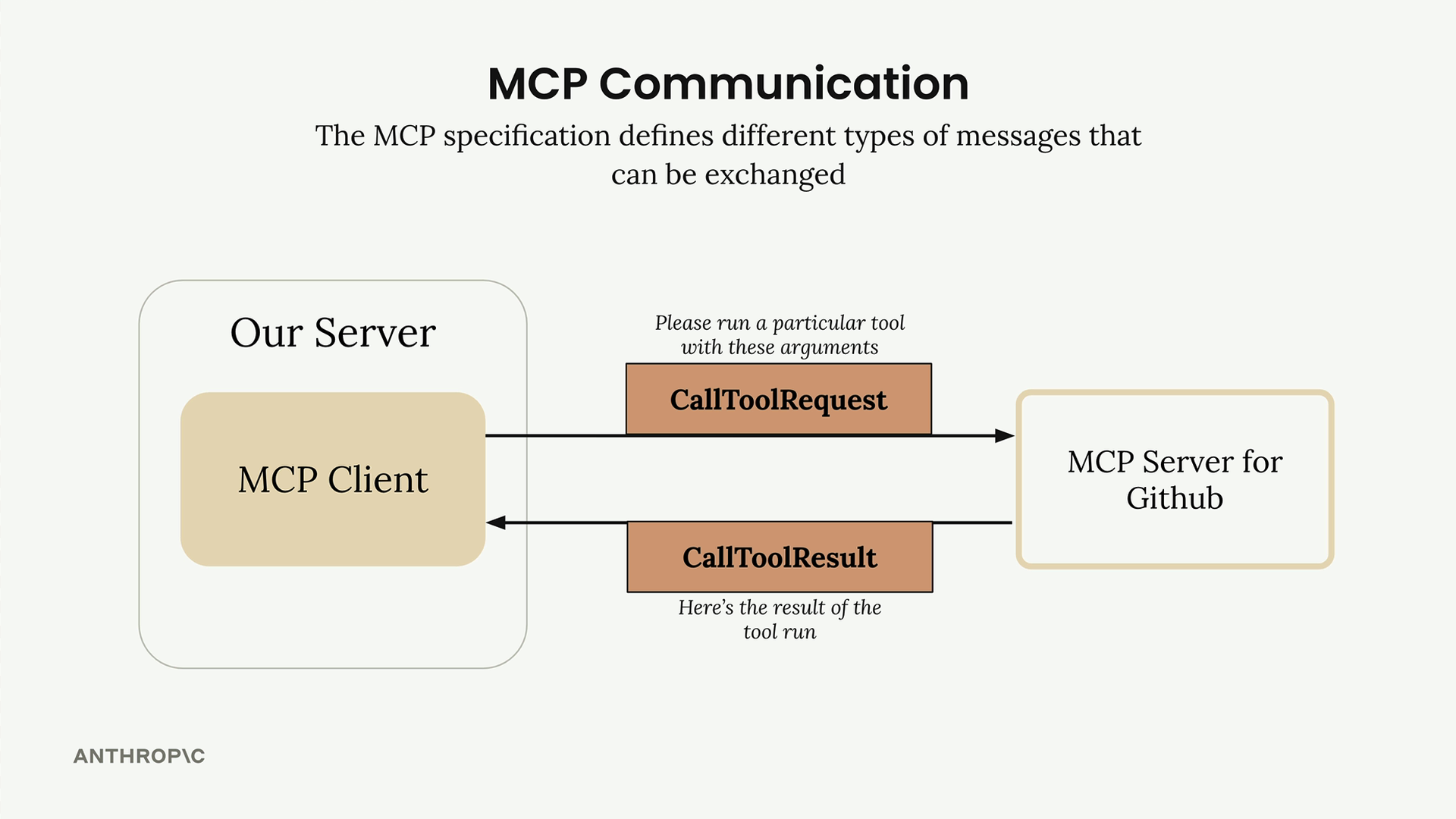
How It All Works Together
A complete example showing how a user query flows through the entire system - from your server, through the MCP client, to external services like GitHub, and back to Claude.
A user asks “What repositories do I have?”
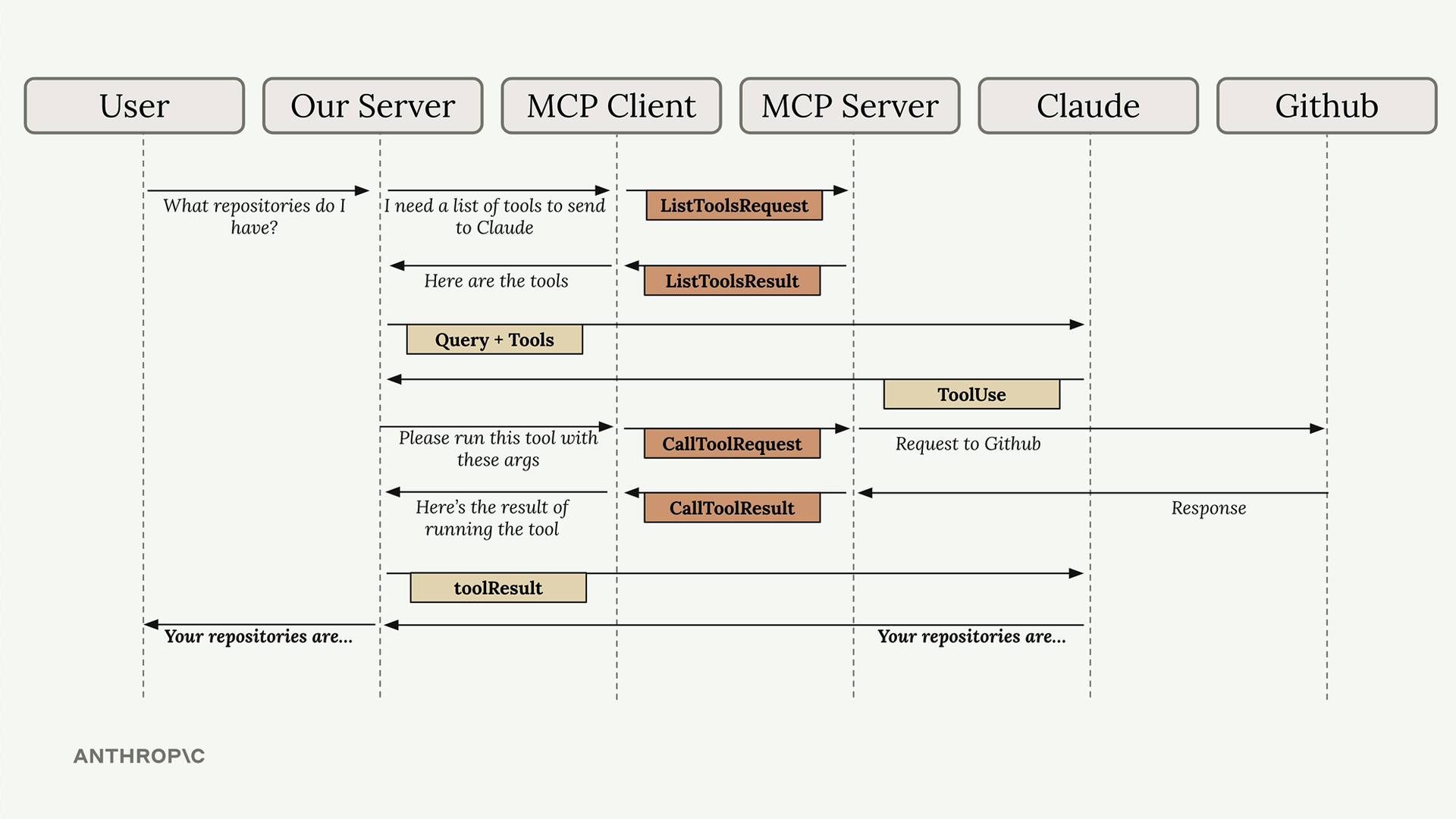
- User Query: The user submits their question to your server
- Tool Discovery: Your server needs to know what tools are available to send to Claude
- List Tools Exchange: Your server asks the MCP client for available tools
- MCP Communication: The MCP client sends a
ListToolsRequestto the MCP server and receives aListToolsResult - Claude Request: Your server sends the user’s query plus the available tools to Claude
- Tool Use Decision: Claude decides it needs to call a tool to answer the question
- Tool Execution Request: Your server asks the MCP client to run the tool Claude specified
- External API Call: The MCP client sends a
CallToolRequestto the MCP server, which makes the actual GitHub API call - Results Flow Back: GitHub responds with repository data, which flows back through the MCP server as a
CallToolResult - Tool Result to Claude: Your server sends the tool results back to Claude
- Final Response: Claude formulates a final answer using the repository data
- User Gets Answer: Your server delivers Claude’s response back to the user
In practice it’s usually cached.
In the example above, the tool list is being fetched for each question to make the flow clear. Real apps usually fetch the list once when they connect, and again only when the server sends notifications/tools/list_changed. Claude Desktop and Claude Code work this way: they call tools/list at startup, not for every message.