Accessing Resources
Resources in MCP allow your server to expose information that can be directly included in prompts, rather than requiring tool calls to access data. This creates a more efficient way to provide context to AI models.
Example
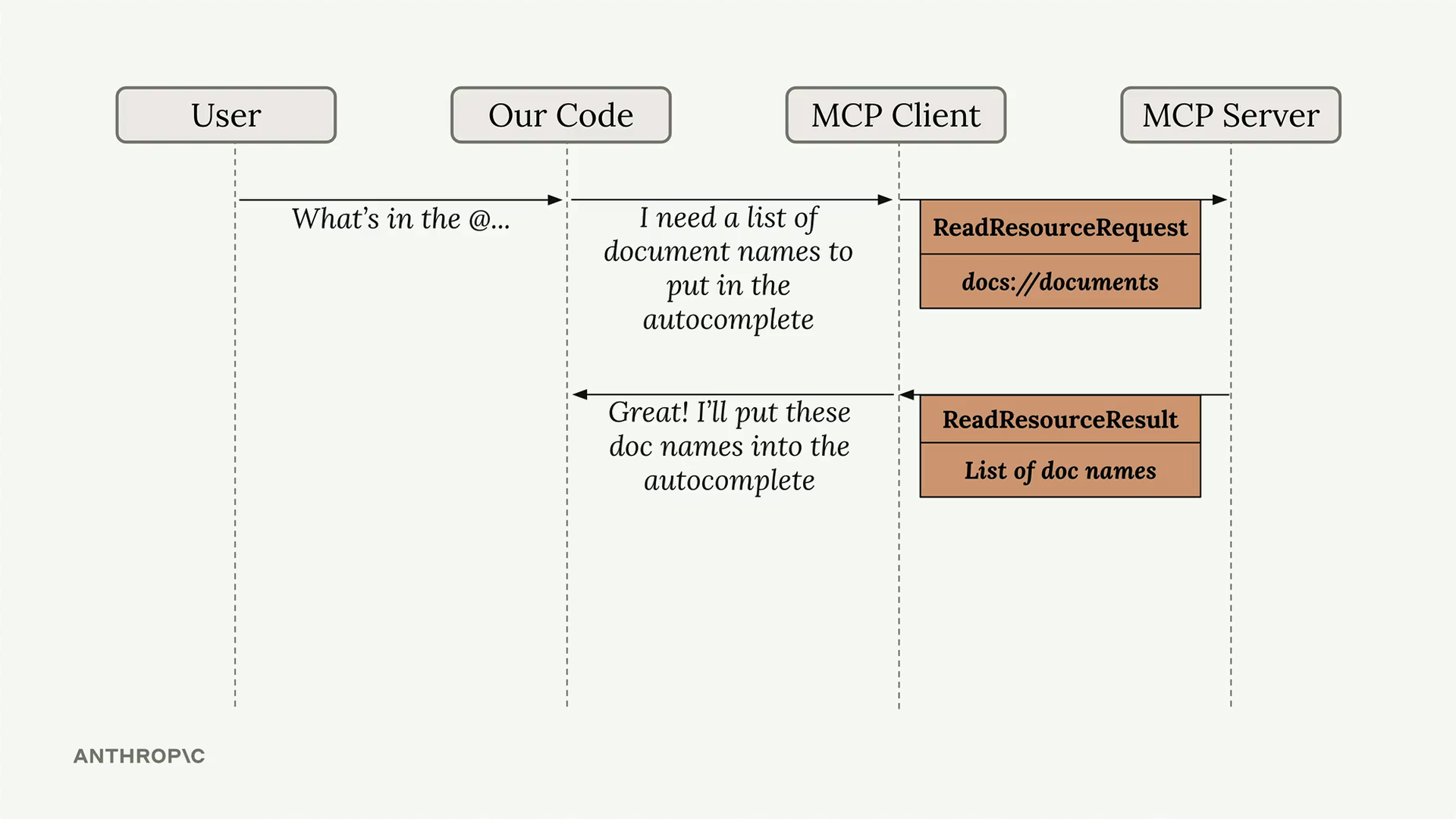
When a user types something like “What’s in the @…” our code recognizes this as a resource request, sends a ReadResourceRequest to the MCP server, and gets back a ReadResourceResult with the actual content.
Implementing Resource Reading
To enable resource access in your MCP client, you need to implement a read_resource function.
import json
from pydantic import AnyUrl

async def read_resource(self, uri: str) -> Any:
    # Make a request to the MCP server and processes the response based on its MIME type
    result = await self.session().read_resource(AnyUrl(uri))
    resource = result.contents[0]

    if isinstance(resource, types.TextResourceContents):
        if resource.mimeType == "application/json":
            return json.loads(resource.text)

    return resource.text
Understanding the response structure
When you request a resource, the server returns a result with a contents list.
We access the first element since we typically only need one resource at a time. The response includes:
- The actual content (text or data)
- A MIME type that tells us how to parse the content
- Other metadata about the resource
Content type handling
The function checks the MIME type to determine how to process the content:
- If it’s
application/json, parse the text as JSON and return the parsed object - Otherwise, return the raw text content
This approach handles both structured data (like JSON) and plain text documents seamlessly.