Defining Prompts
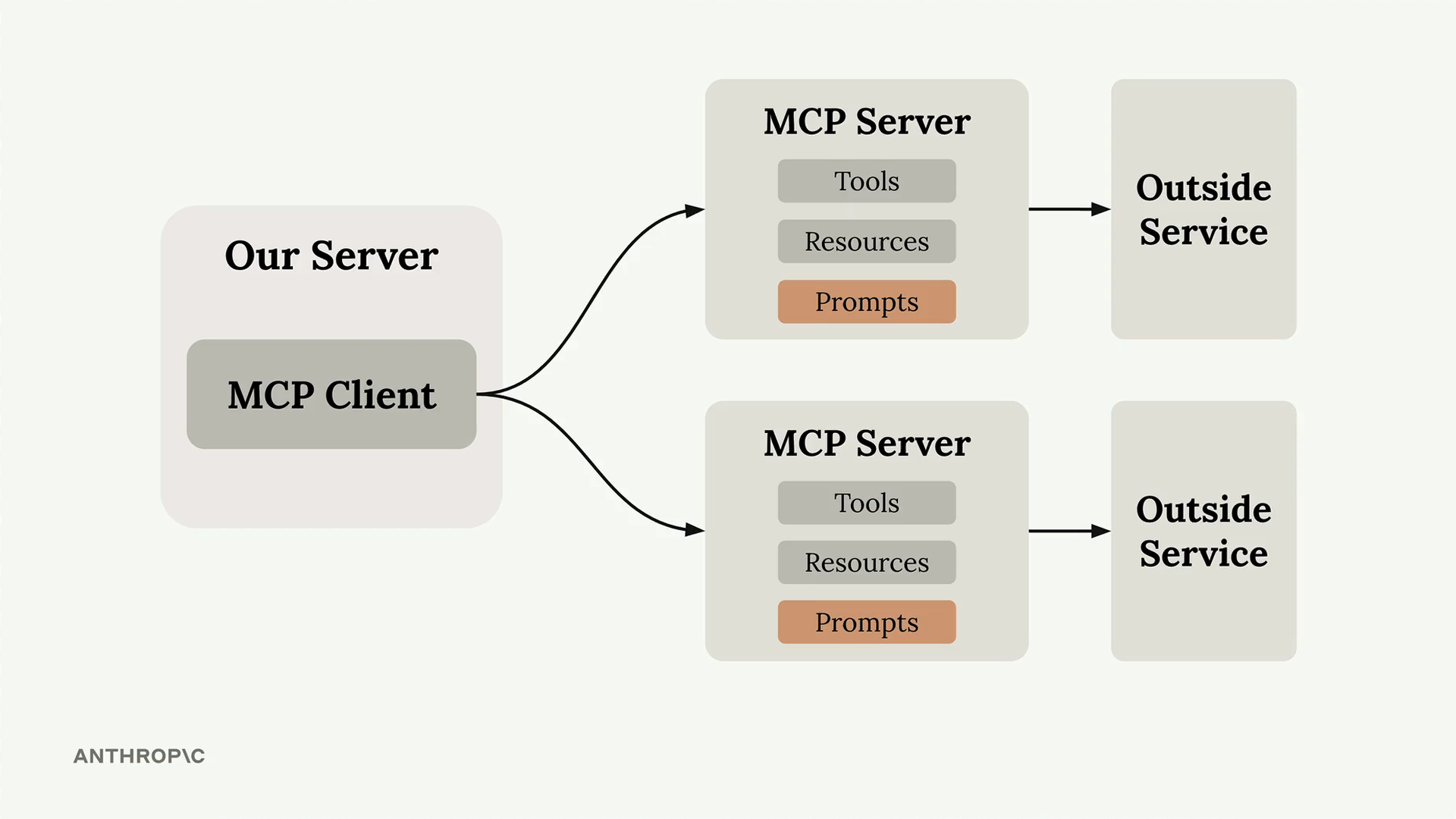
Prompts in MCP servers let you define pre-built, high-quality instructions that clients can use instead of writing their own prompts from scratch.
- Think of them as carefully crafted templates that give better results than what users might come up with on their own.
Why Use Prompts?
Here’s the key insight: users can already ask Claude to do most tasks directly. But they’ll get much better results if you provide a thoroughly tested, specialized prompt that handles edge cases and follows best practices.
Example
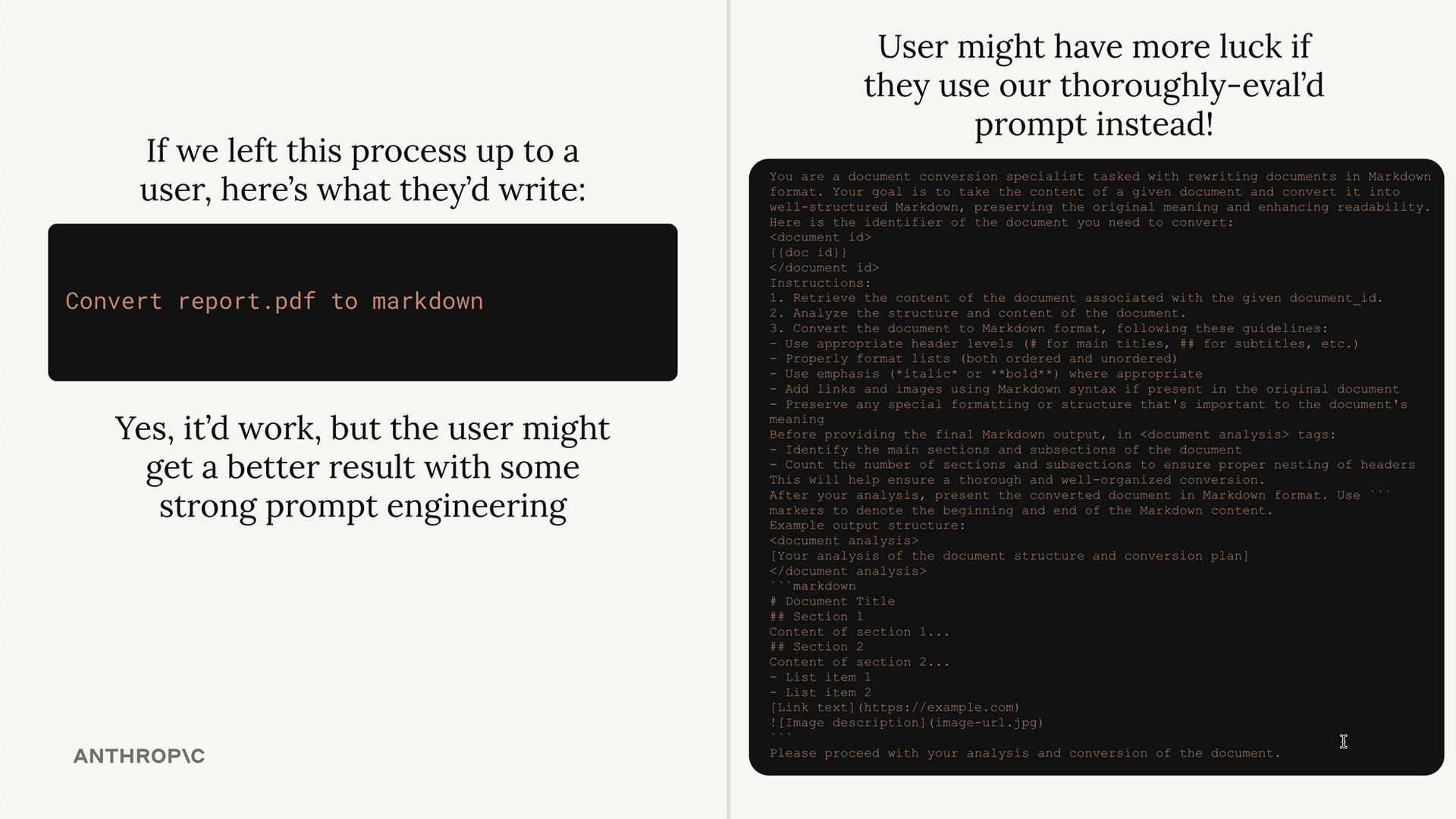
As the MCP server author, you can spend time crafting, testing, and evaluating prompts that work consistently across different scenarios. Users benefit from this expertise without having to become prompt engineering experts themselves.
Goal: Provide prompts that are so well-crafted and tested that users prefer them over writing their own instructions from scratch.
Defining Prompts
Prompts use a similar decorator pattern to tools and resources.
Example: A format command that converts documents to markdown. Users will type /format doc_id and get back a professionally formatted markdown version of their document.
Workflow:
- User types
/to see available commands - They select
formatand specify a document ID - Claude uses your pre-built prompt to read and reformat the document
- The result is clean markdown with proper headers, lists, and formatting
from mcp.server.fastmcp.prompts import base

@mcp.prompt(
    name="format",
    description="Rewrites the contents of the document in Markdown format."
)
def format_document(
    doc_id: str = Field(description="Id of the document to format")
) -> list[base.Message]:
    prompt = f"""
Your goal is to reformat a document to be written with markdown syntax.

The id of the document you need to reformat is:
<document_id>
{doc_id}
</document_id>

Add in headers, bullet points, tables, etc as necessary. Feel free to add in structure.
Use the 'edit_document' tool to edit the document. After the document has been reformatted...
"""

    return [
        base.UserMessage(prompt)
    ]
Key Benefits
- Consistency - Users get reliable results every time
- Expertise - You can encode domain knowledge into prompts
- Reusability - Multiple client applications can use the same prompts
- Maintenance - Update prompts in one place to improve all clients
ork best when they’re specialized for your MCP server’s domain. For example:
- A document management server might have prompts for formatting, summarizing, or analyzing documents.
- A data analysis server might have prompts for generating reports or visualizations.