Implementing a Client
The client is what allows our application code to
- communicate with the MCP server, and
- access its functionality.
Understanding the Client Architecture
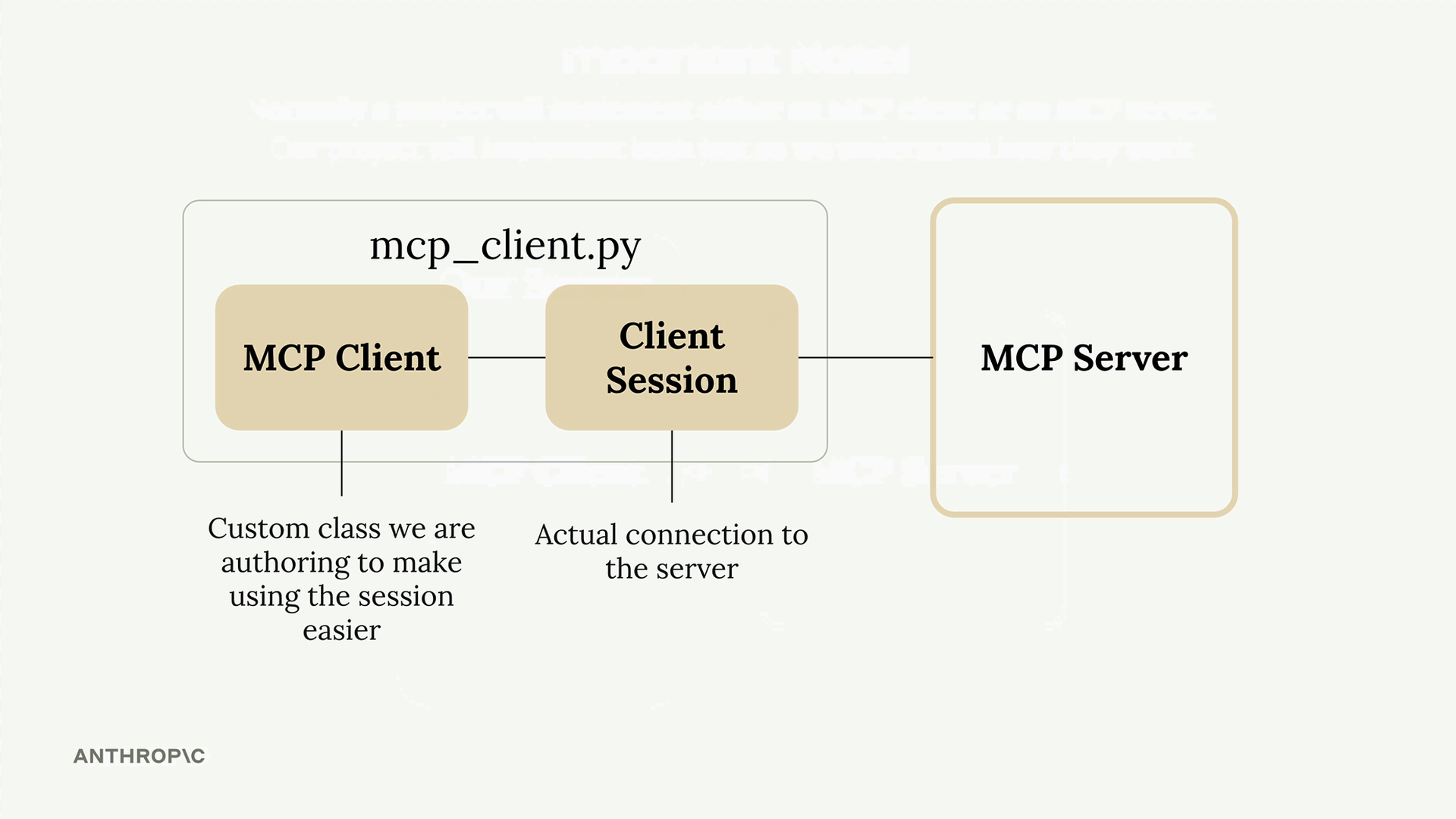
The MCP client consists of two main components:
- MCP Client - A custom class we create to make using the session easier
- Client Session - The actual connection to the server (part of the MCP Python SDK)
- The client session requires careful resource management - we need to properly clean up connections when we’re done.
Note
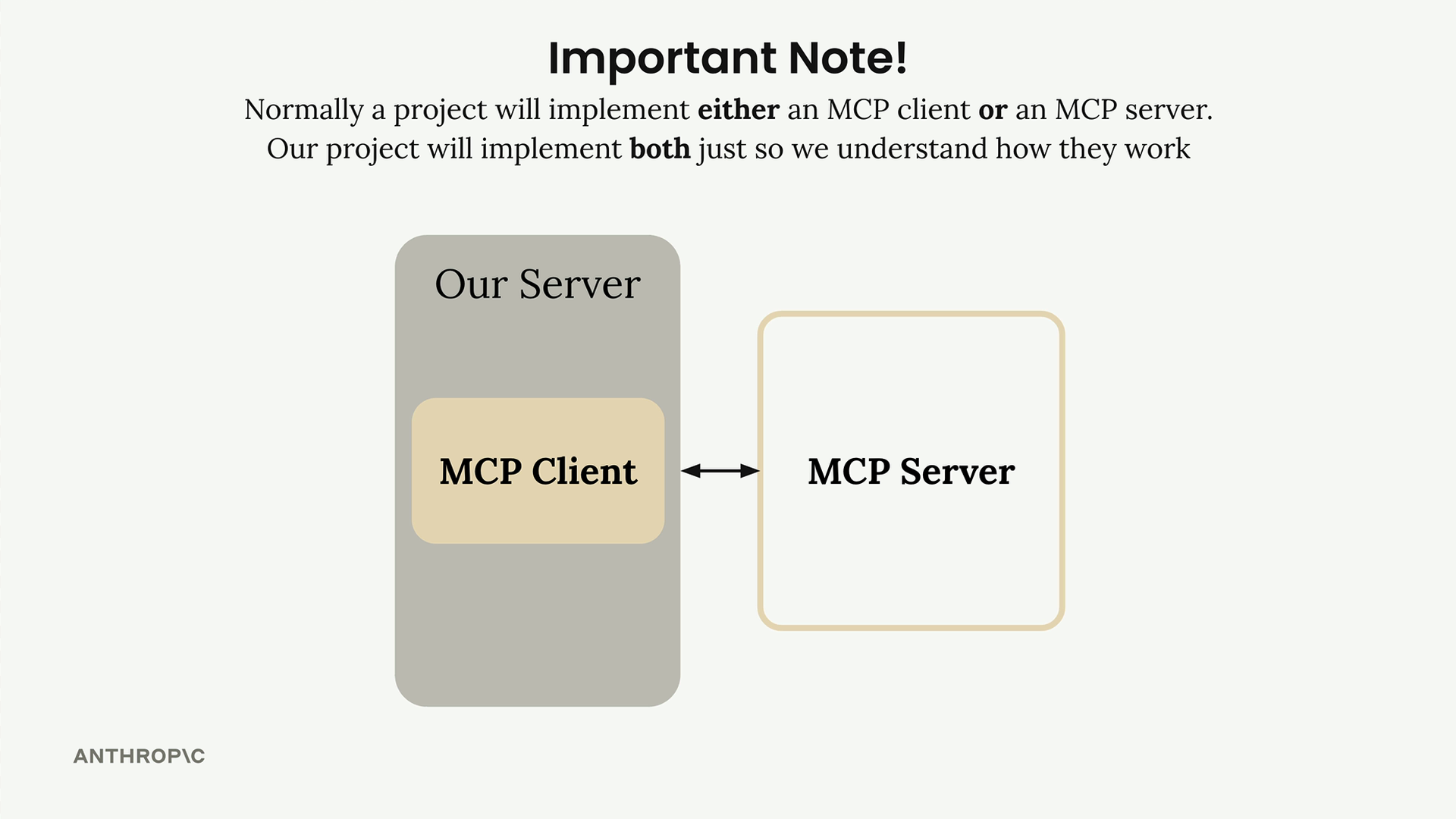
In most real-world projects, you’ll either implement an MCP client or an MCP server - not both. We’re building both to see how they work together.
How the Client Fits into Our Application
The client is what enables our code to interact with the MCP server at two key points:
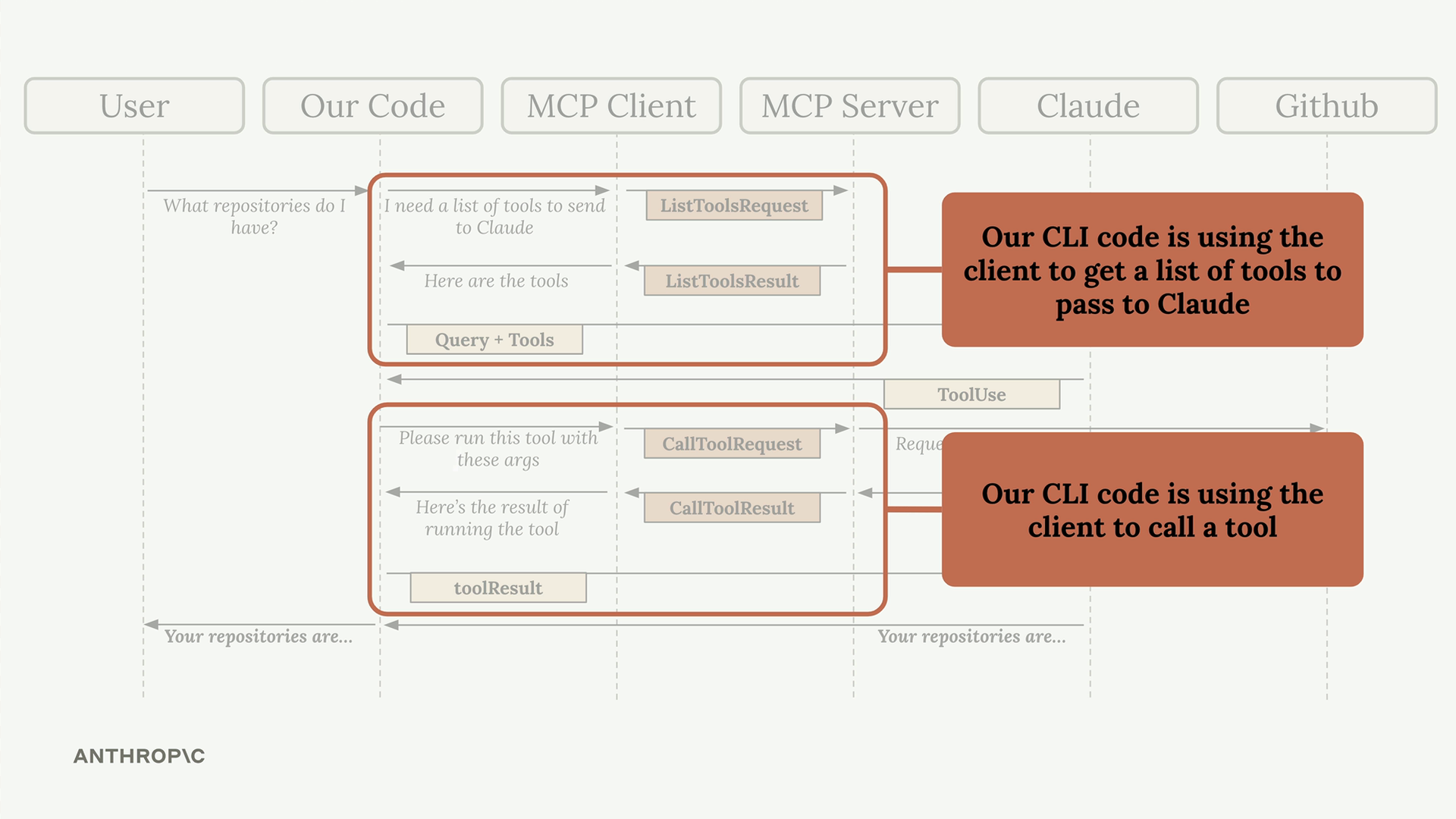
Our CLI code uses the client to:
- Get a list of available tools to send to Claude
- Execute tools when Claude requests them
The client acts as the bridge between your application logic and the MCP server’s functionality, making it easy to integrate powerful tools into your AI workflows.
Implementing Core Client Functions
We need to implement two essential functions:
list_tools()call_tool()
List tools function
This function gets all available tools from the MCP server:
async def list_tools(self) -> list[types.Tool]:
    result = await self.session().list_tools()
    return result.tools
- Access our session (the connection to the server)
- Call the built-in
list_tools()method - Return the tools from the result.
Call tool function
This function executes a specific tool on the server:
async def call_tool(
    self, tool_name: str, tool_input: dict
) -> types.CallToolResult | None:
    # Pass the tool name and input parameters (provided by Claude) to the server and return the result.
    return await self.session().call_tool(tool_name, tool_input)