MCP Review
Core MCP Server Primitives
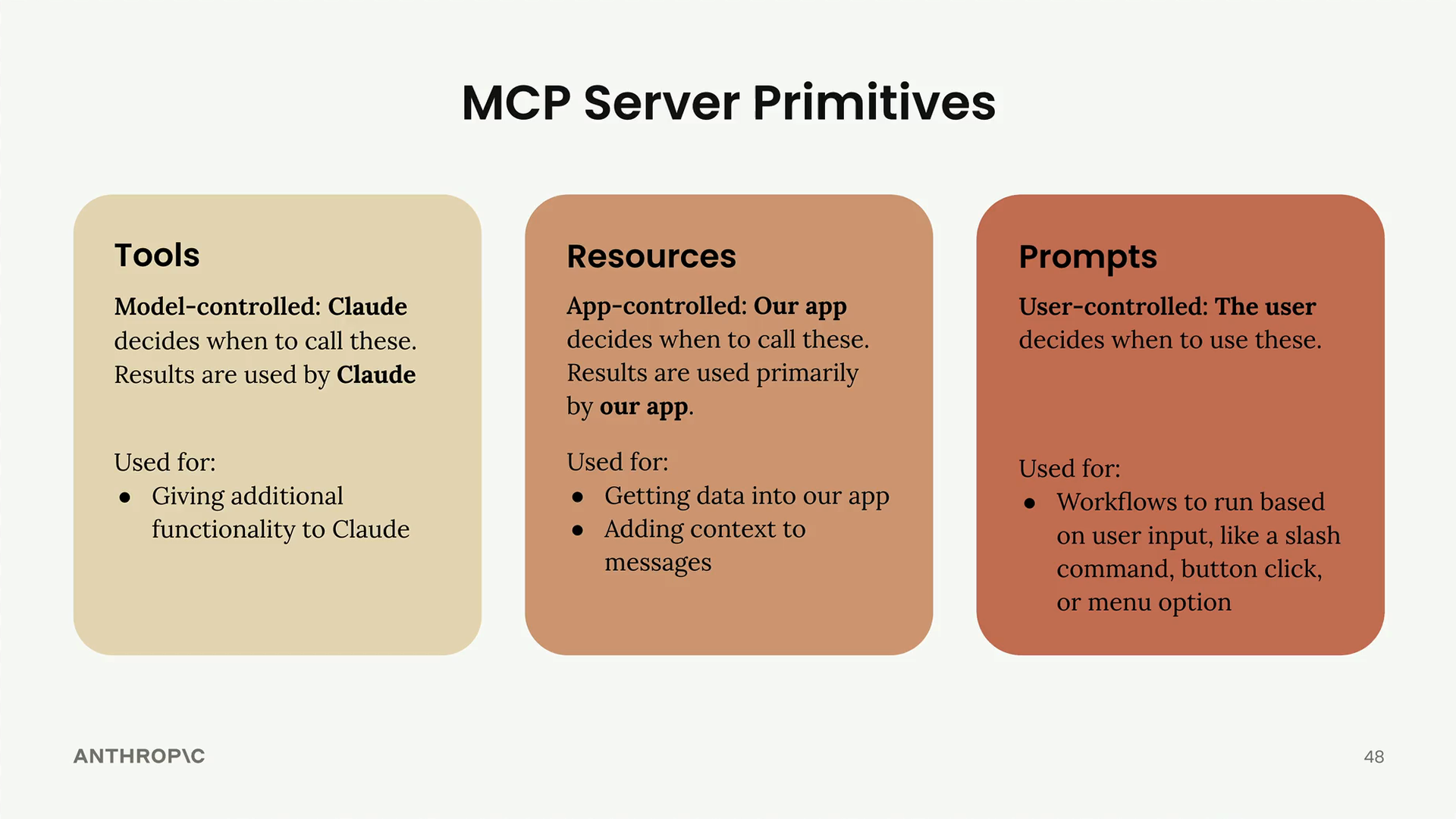
Each primitive is controlled by a different part of your application stack.
| Tools | Resources | Prompts | |
|---|---|---|---|
| Controlled by | The model (Claude) | The app (your code) | The user |
| Who decides when it’s used | Claude decides to call it during a task | Your code decides when to fetch it and what to do with the data | The user starts it with a button, a menu item or a slash command |
| What it’s for | Giving Claude new things it can do | Getting data into the app, for the UI or as extra context | Ready-made workflows the user can run when needed |
| Use it when you… | want Claude to be able to do something | need data shown in the UI or added to a prompt | want to offer the user tested, repeatable workflows |
| Course project | read_doc_contents, edit_document | Document list for autocomplete, and document content added to prompts | Predefined commands the user picks |
| Example in Claude’s app | Running JavaScript to work out √3 | “Add from Google Drive”, where the app chooses which documents to show | Workflow buttons under the chat input |
| Serves | The model | The app | The user |
Choosing the Right Primitive
Quick decision guide:
- Need to give Claude new capabilities? -> Use tools
- Need to get data into your app for UI or context? -> Use resources
- Want to create predefined workflows for users? -> Use prompts